
Product page
summary, filters, photos.
Reviewmend adds a rating summary, filters, sorting and a photo lightbox to the reviews on your product pages. It works with classic themes and block themes, without settings per theme.
01What is added
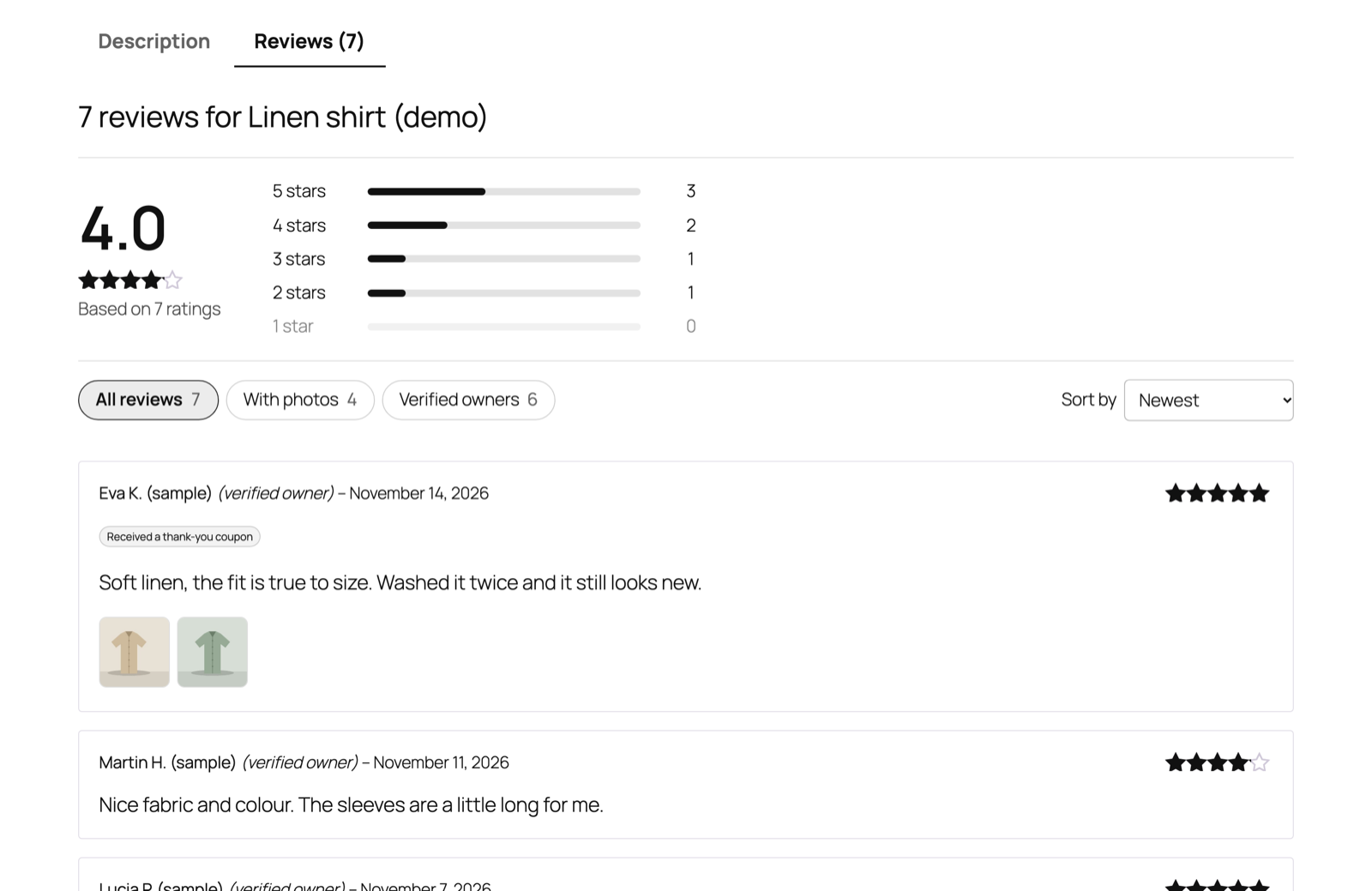
- Rating summary: the average out of 5, "Based on N ratings" and a bar for each star level with its count. Each bar with reviews is a link that filters the list to that rating.
- Filter chips: All reviews, With photos, Verified owners, each with a count.
- Sort by: Newest, Highest rating, Lowest rating, With photos first.
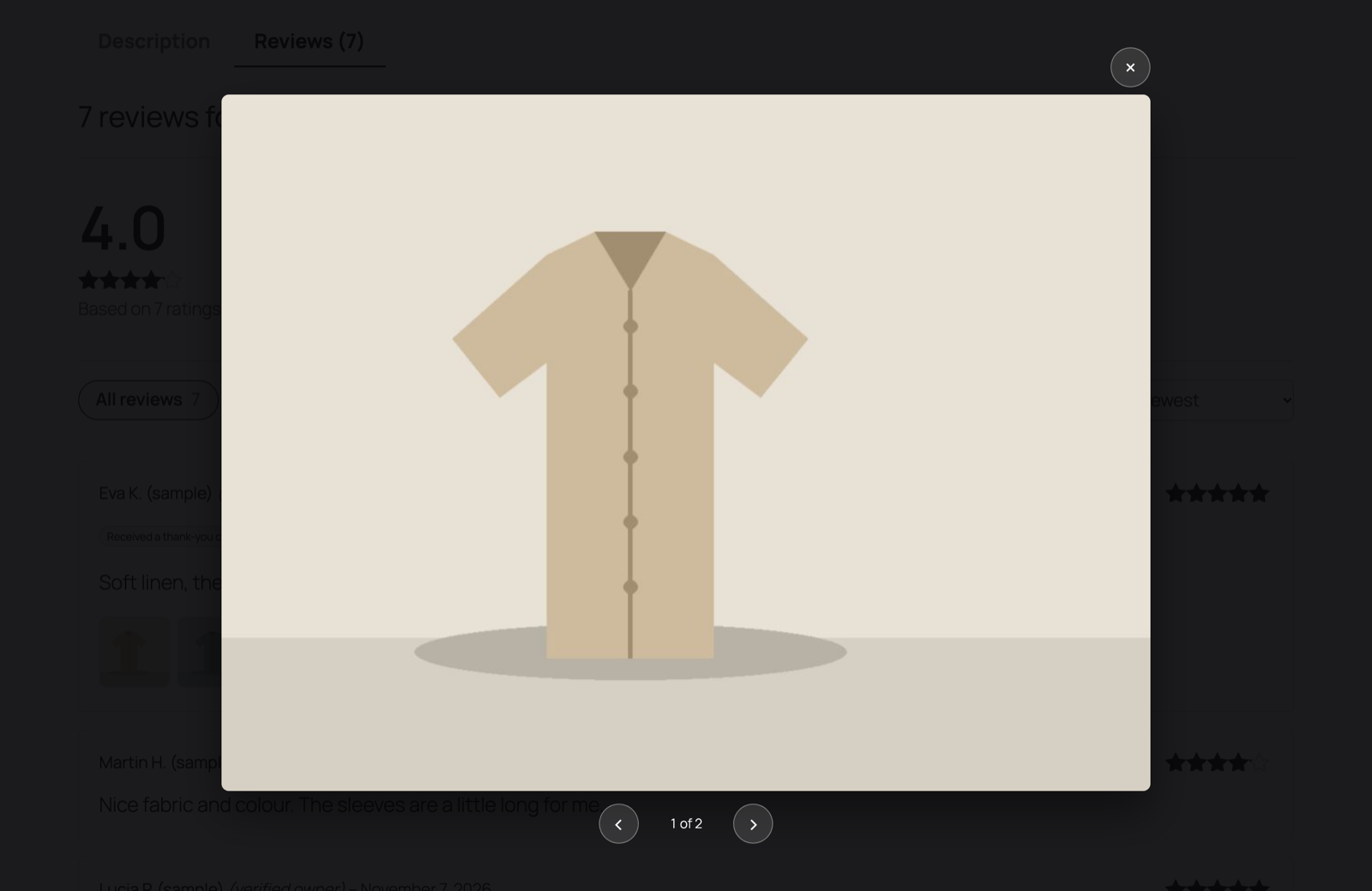
- Review photos: thumbnails under the review text that open a lightbox with previous/next buttons and keyboard navigation.
- Labels: "Verified owner" (following WooCommerce's "Show verified owner label" setting) and "Received a thank-you coupon" (following Reviewmend's Disclosure setting).
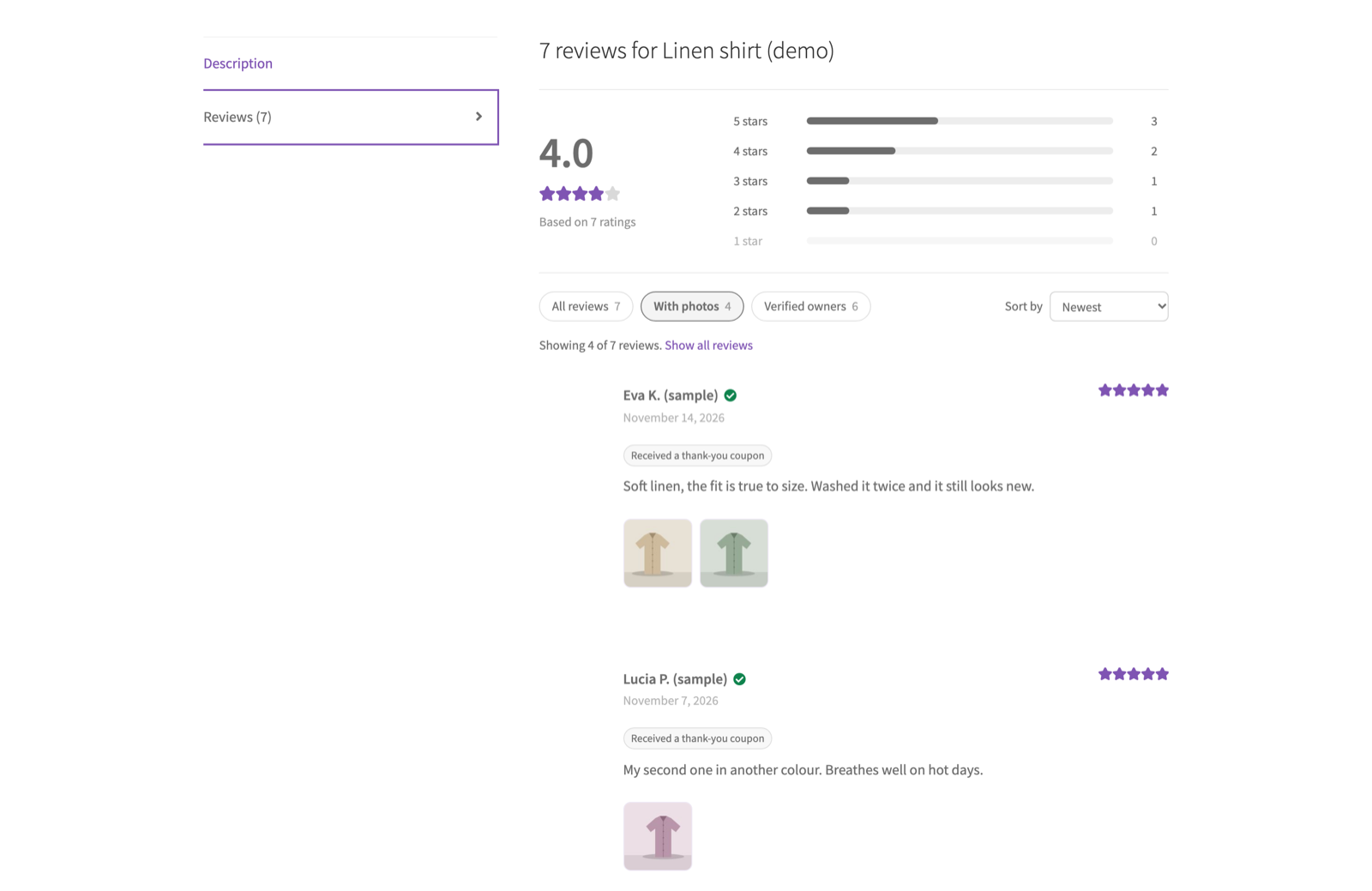
Filters and sorting are plain links (rm_stars, rm_photos, rm_verified, rm_sort in the address), so they work without JavaScript, can be bookmarked and are applied on the server. Replies to reviews are never filtered out. A shopper sees "Showing X of Y reviews" and a Show all reviews link while a filter is active.
02Classic themes
In classic themes (Storefront, for example) WooCommerce shows reviews through its single-product-reviews.php template. Reviewmend wraps your theme's own version of that template and puts the summary under its reviews heading, so a customised review template in your theme keeps working. Photos and the coupon label are added through WooCommerce's review actions.
03Block themes
Block themes (Twenty Twenty-Five, for example) show reviews in one of two ways, and both are covered:
- Product Details block without inner blocks (WooCommerce's default single product template): it uses the same review template as classic themes, so everything above applies.
- Product Reviews block with inner blocks (Reviews Title, Review Template, Author Name, Content and so on): the summary appears after the Reviews Title block, the labels next to the author name and the photos with the review content.
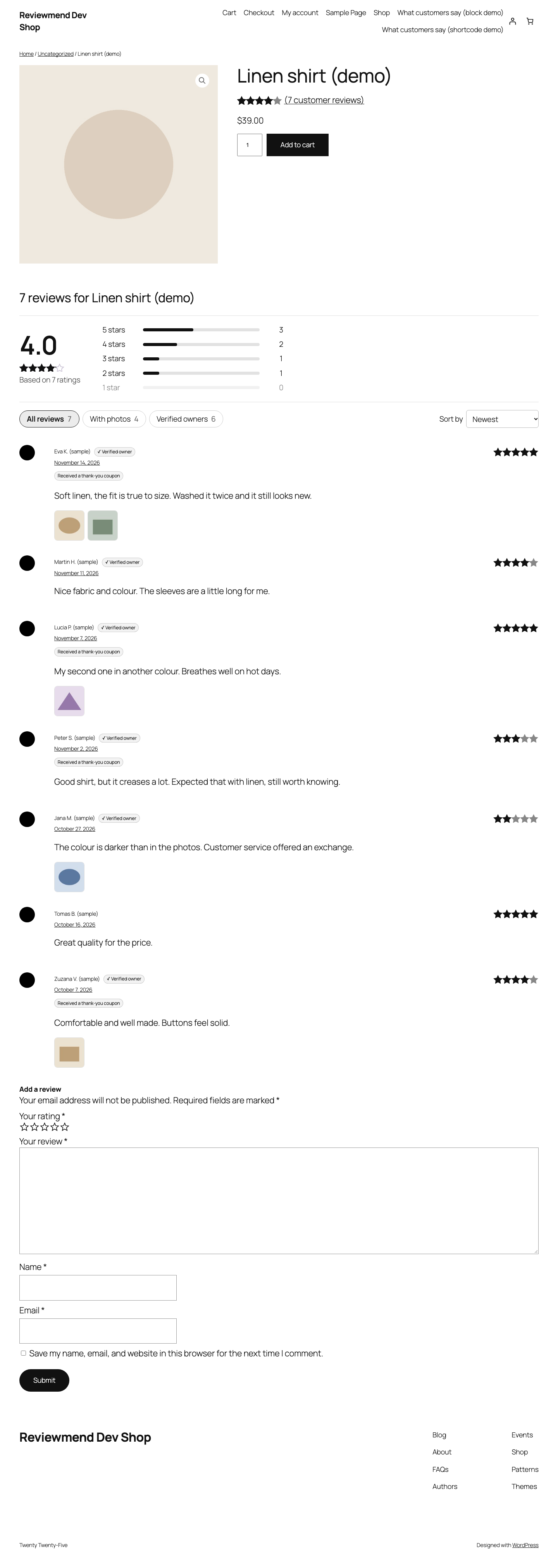
Nothing needs to be set up in the Site Editor.
04Switching it off
Settings → Product page → untick Show the rating summary, filters and sorting above product reviews. Your theme's normal review list stays; review photos and the coupon label are still shown with each review.
05Styling
The stylesheet assets/css/product.css and the small script assets/js/product-reviews.js load on product pages only. Class names start with reviewmend- (for example .reviewmend-summary, .reviewmend-chips), so you can adjust colours and spacing with your own CSS.