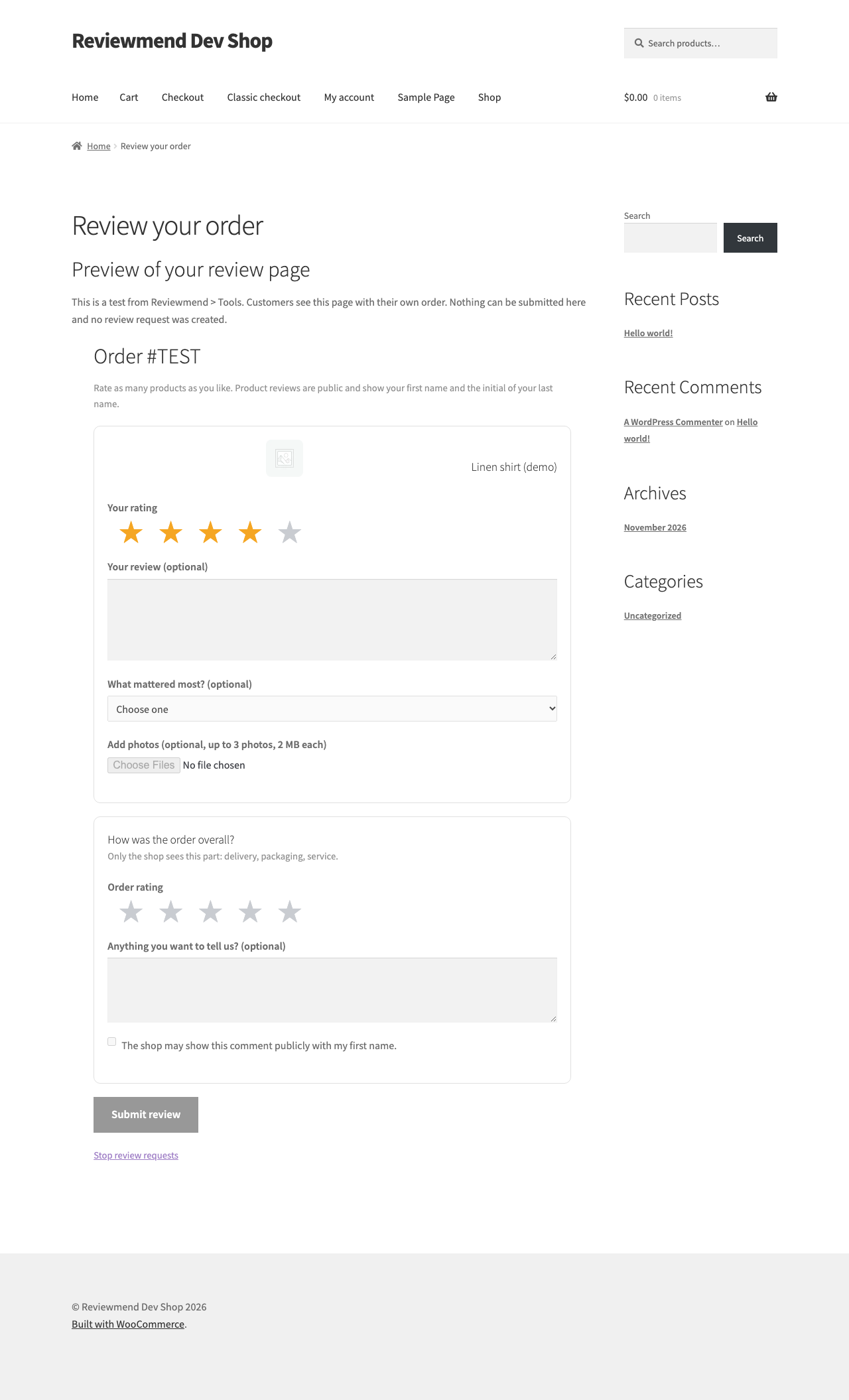
Review requests
and the five e-mails.
How a request is scheduled and sent, the Requests list, the five WooCommerce e-mails Reviewmend adds, and how to send yourself a test.
01How a request is scheduled
- Status changeWhen an order changes to the status in Settings (Completed by default), Reviewmend creates one request for that order, due after the waiting time and moved into your sending hours.
- Rules are checkedThe order needs a valid billing e-mail, product reviews must be on, the address must not be unsubscribed, the consent box must be ticked if you use checkout consent, and the minimum total, customer roles, frequency limit and product rules must allow it. If a rule fails, the request is stored as Skipped with a note that says why.
- SendingA background task runs every five minutes and sends due requests in batches of 25. Just before sending, the rules are checked again (consent, unsubscribe, order status, products).
- ReminderIf the reminder is on, one reminder goes out after the reminder days with the very same link, unless the customer already reviewed, unsubscribed or the link has expired.
Only one request exists per order. If an order with a Skipped or Failed request reaches the chosen status again, it is checked again with your current settings.
All sending runs through Action Scheduler (WooCommerce → Status → Scheduled Actions, group reviewmend). If WP-Cron does not run, nothing is sent. See Cron not running.
02The Requests list
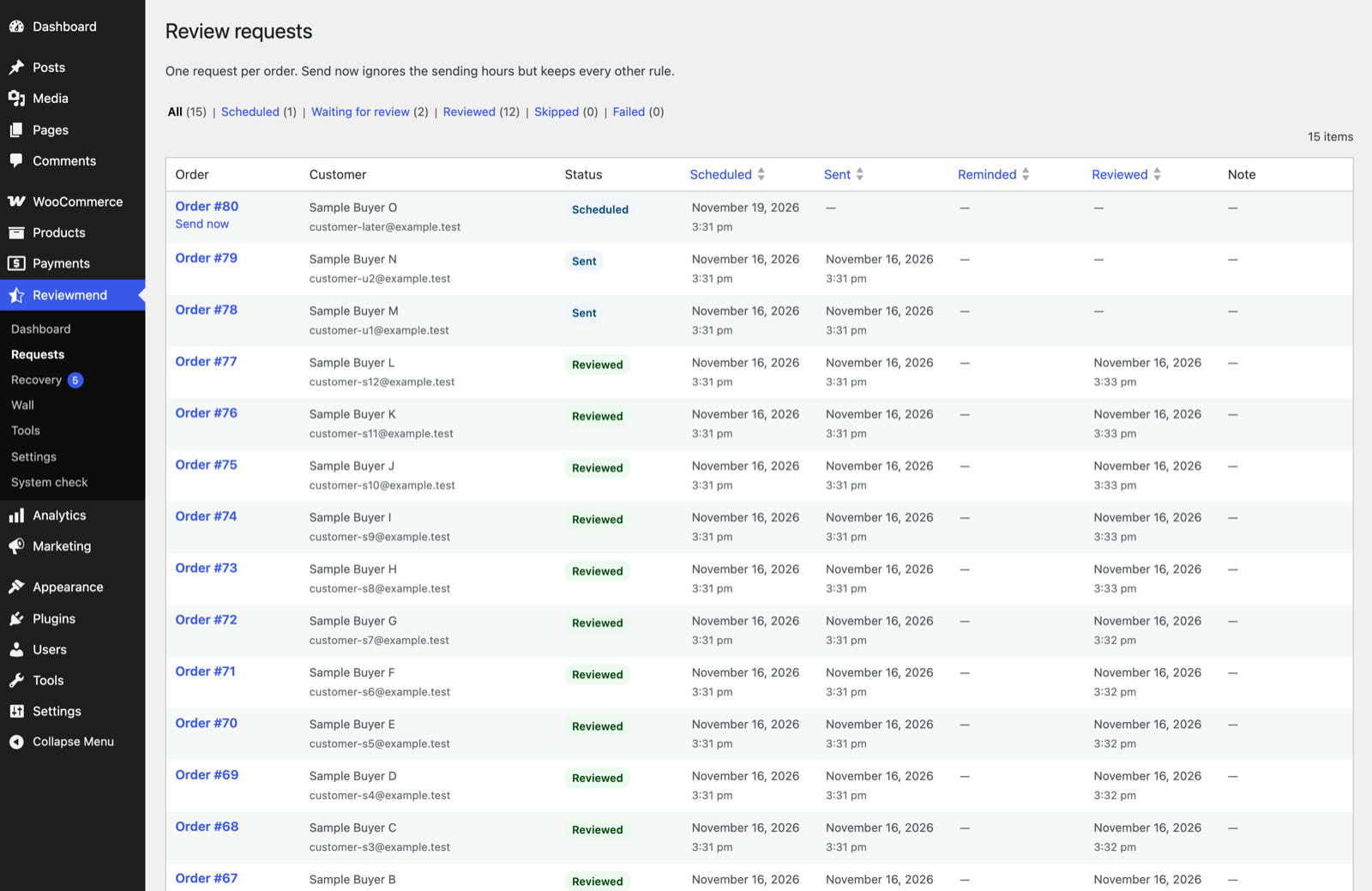
Reviewmend → Requests lists one row per order with the customer, status and a Note column that explains skipped and failed requests.
| Status | Meaning |
|---|---|
| Scheduled | Waiting for its time. |
| Sent / Reminded | The request (and reminder) went out; waiting for the review. |
| Reviewed | The customer submitted the review page. |
| Skipped | A rule stopped it; the Note says which. |
| Failed | WordPress could not send the e-mail three times in a row (retries after 15 and 30 minutes). |
| Unsubscribed | The customer used the unsubscribe link. |
Send now sends a Scheduled or Failed request immediately. It ignores the sending hours once but keeps every other rule.
Notes you may see
| Note | What to do |
|---|---|
| The order has no valid billing e-mail. | Nothing; the order cannot be asked. |
| Product reviews are turned off in WooCommerce. | Turn on "Enable product reviews". |
| The customer unsubscribed from review requests. | Nothing; respect it. |
| The customer did not agree to review requests at checkout. | Expected with checkout consent on. |
| The order total is below the minimum. | Lower the minimum if you want these orders. |
| The customer role is not selected in Who gets asked. | Tick the role, or untick all roles. |
| This customer already got a request recently. | The frequency limit; lower it or set 0. |
| No product in the order can be reviewed. | Check product rules, product status and "Enable reviews" on the product. |
| The Review request e-mail is turned off in WooCommerce > Settings > Emails. | Enable the e-mail. |
| The order is refunded / cancelled / failed. | Nothing. |
| WordPress could not send the e-mail. | Fix e-mail delivery (E-mails not arriving). |
03The five e-mails
Reviewmend adds five e-mails to WooCommerce → Settings → Emails. They use your WooCommerce e-mail header, footer, colours and sender address.
| Goes to | When | Default subject | |
|---|---|---|---|
| Review request | Customer | After the waiting time | How was your order from {site_title}? |
| Review reminder | Customer | Once, after the reminder days | A quick reminder: how was your order from {site_title}? |
| Recovery case opened | Case owner, or the site admin address | When a low rating opens a case | [{site_title}] Recovery case #{case_id}: {rating}-star rating |
| Recovery case reply | Customer | When you press Send reply on a case | The subject you type on the case |
| Reviewmend monthly report | Report recipients | 1st day of each month | [{site_title}] Reviews in {month} |
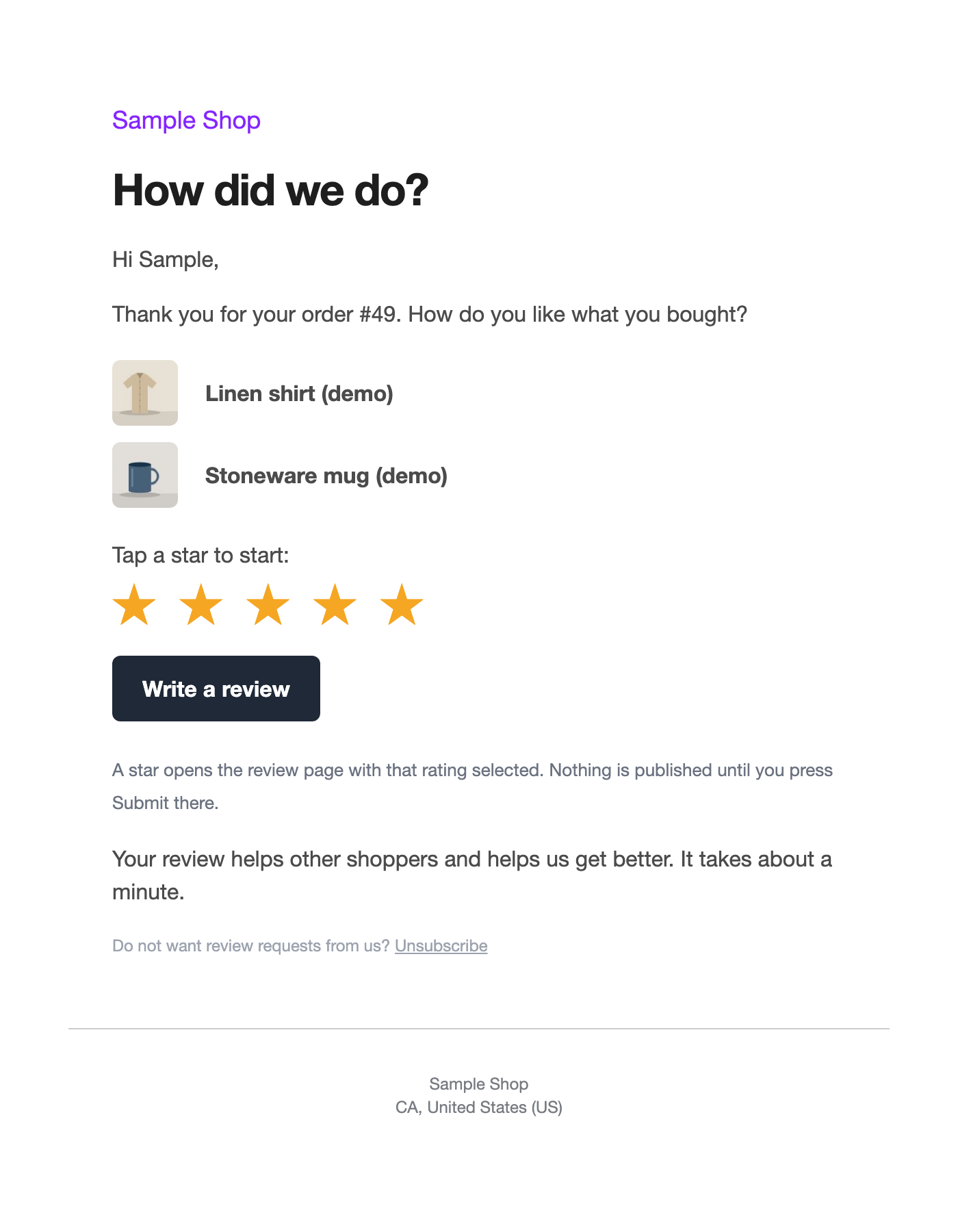
The request and reminder list the products to review, five stars and a Write a review button, with the line "A star opens the review page with that rating selected. Nothing is published until you press Submit there." and an Unsubscribe link.
Clicking a star in the e-mail opens the review page with that many stars already selected for each product. It does not save a rating. Nothing is stored until the customer presses Submit review, so link scanners in mail programs cannot create ratings.
04Editing the e-mails
WooCommerce → Settings → Emails → choose the e-mail → Manage. Like every WooCommerce e-mail you can switch it on or off and change the subject, heading, additional content and e-mail type (HTML or plain text).
| Extra placeholders | |
|---|---|
| Review request, Review reminder | {order_number}, {order_date}, {customer_first_name} |
| Recovery case opened | {case_id}, {rating} |
| Recovery case reply | {order_number} |
| Monthly report | {month} |
WooCommerce's own placeholders such as {site_title} work in all of them. To change the layout, copy a template into your theme (Template overrides).
If you switch off Review request, requests are skipped. If you switch off Review reminder, no reminders go out. Switching off Recovery case reply blocks the Send reply button on cases.
05Unsubscribe
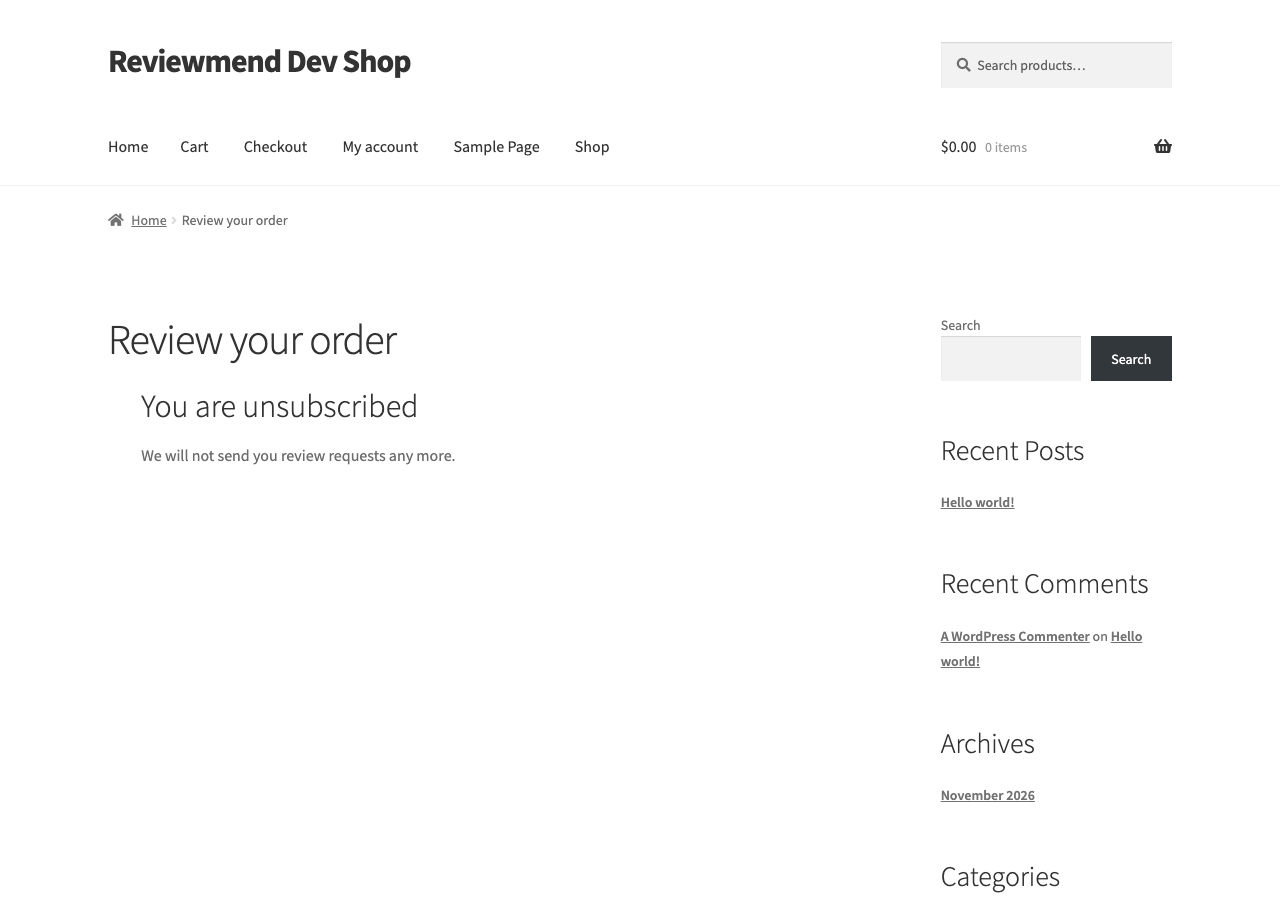
Every request and reminder has an Unsubscribe link and the List-Unsubscribe and List-Unsubscribe-Post headers, so mail apps can show their own one-click unsubscribe button. After unsubscribing, the address never gets a review request again; order e-mails are not affected. Reviewmend keeps only a one-way hash of the address on its unsubscribe list.
06Send me a test
Reviewmend → Tools → Send me a test sends the review request and the reminder exactly as customers get them, to the e-mail address of your own user account.
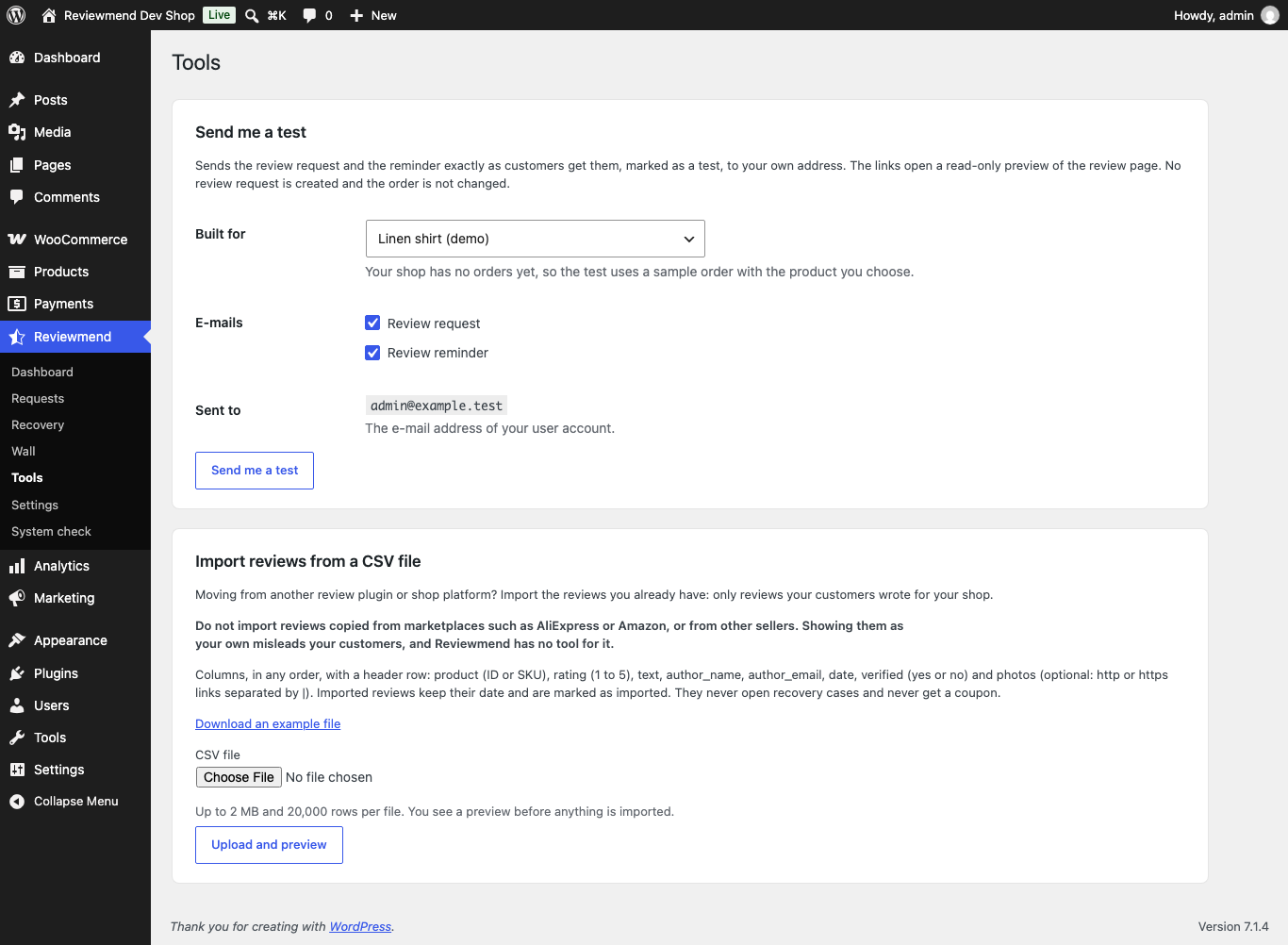
- Built forPick one of your recent orders, or a product to build a sample order with one product (useful before your first order).
- E-mailsTick Review request, Review reminder or both.
- Send me a testThe subject starts with "[Test]".
- No review request is created and the order is not changed. No "e-mail sent" note is added to the order.
- The links in the test open a read-only preview of the review page marked TEST: you see the real form, but nothing can be submitted. Preview links work for two days.
- If an e-mail is switched off in WooCommerce, the test is still sent and the notice tells you that customers do not get it.
- If the notice says WordPress could not send the test, your site cannot send e-mail yet. Install an SMTP plugin.