
Uninstall
your data stays unless you say so.
Deactivating never deletes anything. Deleting the plugin only erases Reviewmend's own data if you ticked one box in Settings first.
01Deactivate
Plugins → Reviewmend → Deactivate stops all Reviewmend background tasks (no more requests, reminders or reports). All data stays. Activate again and everything continues; scheduled requests that became due in the meantime go out on the next run.
02Delete and keep the data (default)
With the box in Settings → Your data unticked (the default), deleting the plugin removes only its files. Requests, cases, unsubscribes, consent answers and settings stay in the database, so installing Reviewmend again later picks up where you left off.
03Delete everything
- Export firstDownload what you need from Reviewmend → Dashboard → Export to CSV.
- Tick the boxReviewmend → Settings → Your data → Delete all Reviewmend data when the plugin is deleted → Save settings.
- Deactivate and deletePlugins → Reviewmend → Deactivate → Delete.
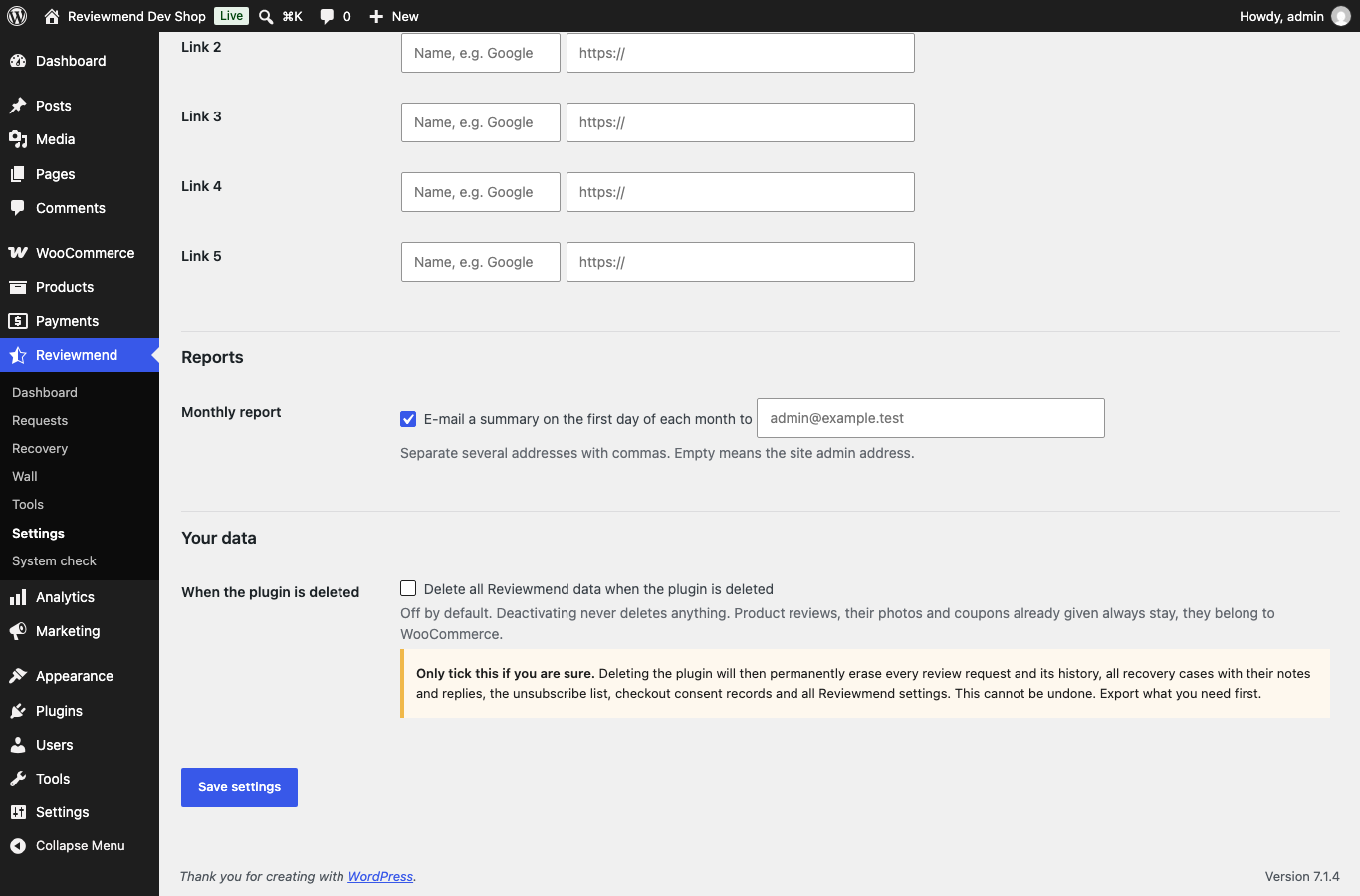
Deleting then permanently removes:
- the four Reviewmend tables: every review request and its history, all recovery cases with notes and replies, the unsubscribe list;
- the Review your order page;
- all Reviewmend settings, the signing key and its temporary data;
- Reviewmend's scheduled actions;
- the
reviewmend_manage_casescapability from every role; - the import folder
wp-content/uploads/reviewmend-import/; - the checkout consent answers stored on orders.
On a multisite network this runs for every site.
04What always stays
Product reviews, their photos and coupons already given belong to WooCommerce and are never deleted by Reviewmend. After uninstalling they remain normal WooCommerce reviews and coupons. Old review links stop working once the plugin is gone.