
Settings
every option, with its default.
All Reviewmend settings are on one page, Reviewmend → Settings, in eight groups. Press Save settings at the bottom. Numbers outside the allowed range are clamped to the nearest allowed value.
01The settings page
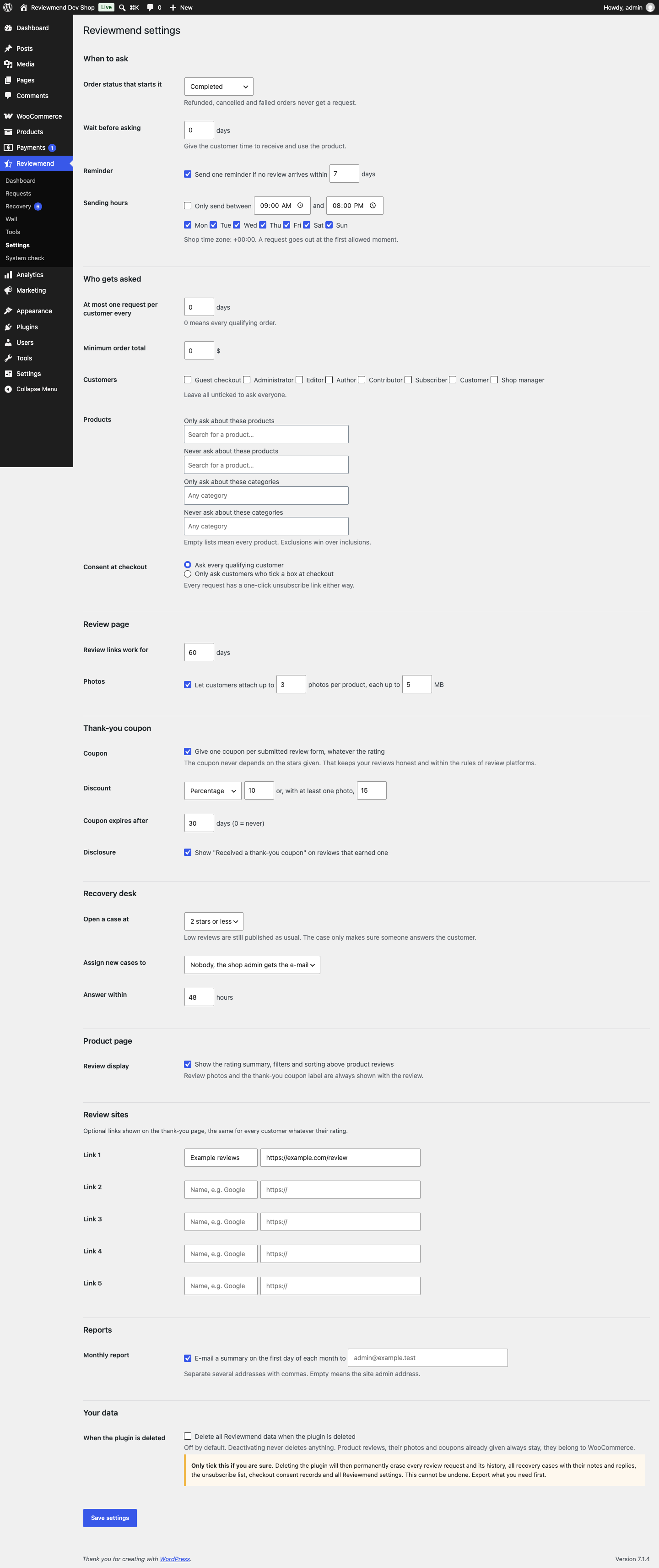
Only users with the manage_woocommerce capability (Administrators and Shop managers) can open and save it. The e-mail texts themselves are edited in WooCommerce, not here (Editing the e-mails).
02When to ask
| Setting | Default | Allowed | What it does |
|---|---|---|---|
| Order status that starts it | Completed | Any WooCommerce order status | A request is scheduled when an order changes to this status. Refunded, cancelled and failed orders never get a request; if an order moves to one of those later, its scheduled request is skipped. |
| Wait before asking | 7 days | 0 to 90 | Time between the status change and the request, so the customer has received and used the product. |
| Reminder | On, after 7 days | 1 to 60 days | One reminder with the same link if no review arrived. No reminder is sent after the link has expired. |
| Sending hours | On, 09:00 to 20:00, every day | Any times, any weekdays | Requests and reminders only go out inside these hours, in the shop time zone (Settings → General). Outside them they wait for the next allowed moment. |
03Who gets asked
| Setting | Default | Allowed | What it does |
|---|---|---|---|
| At most one request per customer every | 30 days | 0 to 365 | Frequency limit per e-mail address. 0 means every qualifying order. |
| Minimum order total | 0 | 0 or more | Orders below this total are skipped. |
| Customers | None ticked (everyone) | Guest checkout and every user role | Tick roles to ask only those customers. "Guest checkout" covers orders without an account. All unticked asks everyone. |
| Only ask about these products | Empty (all) | Products | Search box. Only these products are listed in the request and on the review page. |
| Never ask about these products | Empty | Products | These products are left out. |
| Only ask about these categories | Empty (all) | Product categories | Only products in these categories. |
| Never ask about these categories | Empty | Product categories | Products in these categories are left out. |
| Consent at checkout | Ask every qualifying customer | Ask everyone / Only customers who tick a box | The second option adds a checkbox to the checkout (Checkout consent). |
Exclusions win over inclusions. A product is only reviewable if it is published and has reviews allowed. Variations count as their parent product, and one order lists at most 20 products. If no product of an order is left, the request is skipped with the note "No product in the order can be reviewed."
04Review page
| Setting | Default | Allowed | What it does |
|---|---|---|---|
| Review links work for | 60 days | 7 to 365 | After this the link shows "This review link has expired". |
| Photos | On, up to 3 photos per product, 5 MB each | 1 to 6 photos, 1 to 20 MB | JPG, PNG or WebP. The real limit is the smaller of this value and your server's upload limit. |
05Thank-you coupon
| Setting | Default | Allowed | What it does |
|---|---|---|---|
| Coupon | Off | On / off | One coupon per submitted review form, whatever the rating. |
| Discount | Percentage, 10, or 15 with a photo | Percentage or Fixed amount; 0 or more (percentage at most 100) | The amount with a photo is never lower than the normal amount; a lower value is raised to it. |
| Coupon expires after | 30 days | 0 to 365 (0 = never) | Expiry date of each new coupon. |
| Disclosure | On | On / off | Shows "Received a thank-you coupon" on reviews that earned one, on the product page and on the wall. |
Details: Thank-you coupon.
06Recovery desk
| Setting | Default | Allowed | What it does |
|---|---|---|---|
| Open a case at | 2 stars or less | 1 to 4 stars or less | A product rating or order rating at or below this opens a case. The review is still published as usual. |
| Assign new cases to | Nobody, the shop admin gets the e-mail | Users with the reviewmend_manage_cases capability | Owner of new cases; receives the "Recovery case opened" e-mail. With nobody, the e-mail goes to the site admin address (Settings → General). |
| Answer within | 48 hours | 1 to 720 | Sets the due date of new cases. Past it, a case counts as overdue. |
07Product page
| Setting | Default | What it does |
|---|---|---|
| Review display | On | Shows the rating summary, filters and sorting above product reviews. Review photos and the coupon label are shown with each review either way (the label follows the Disclosure setting). |
08Review sites
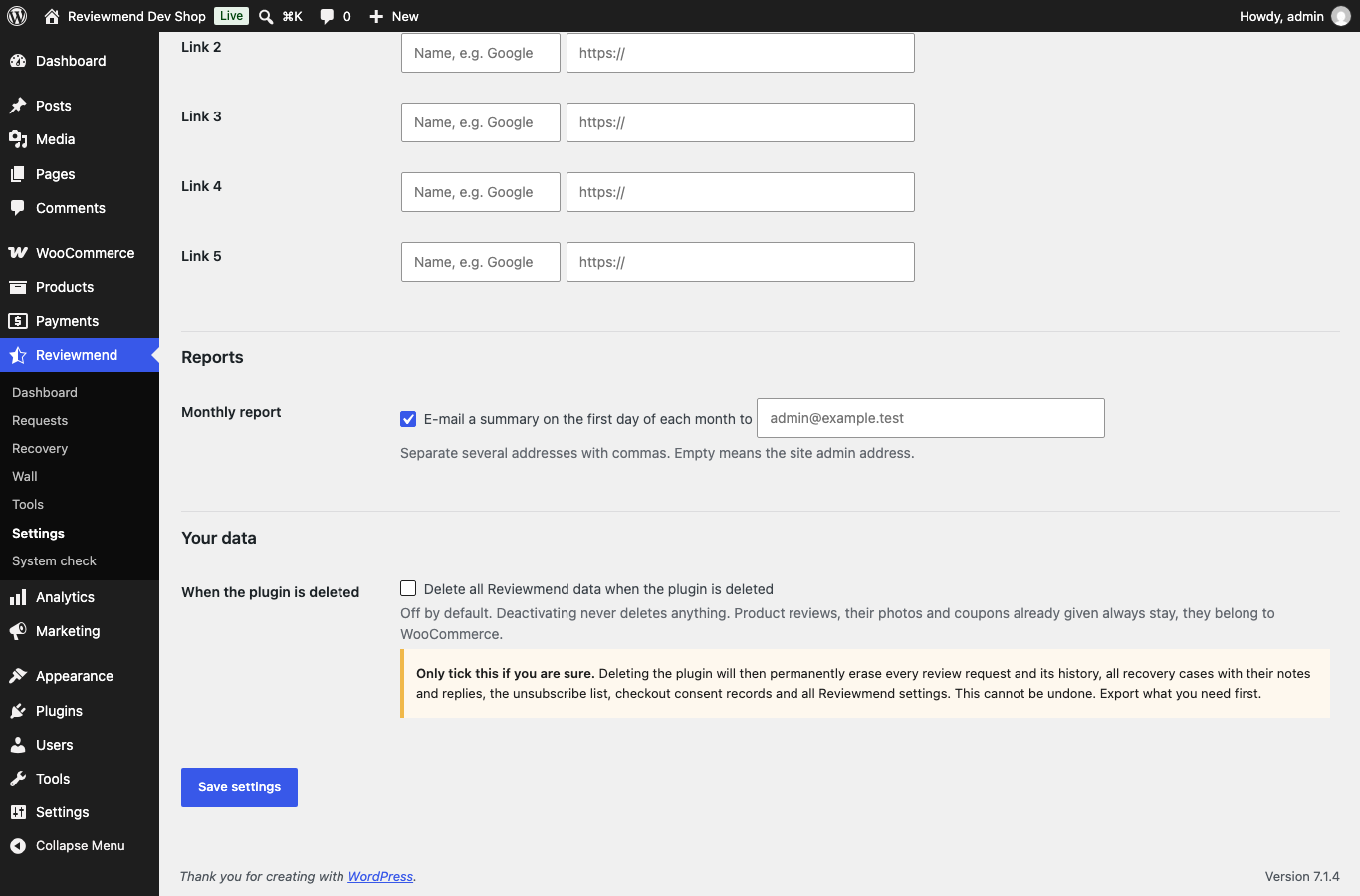
Up to five links (a name of up to 60 characters and an http or https address), for example your Google business profile. They appear on the thank-you page after the customer submits, the same for every customer whatever their rating. Clicks go through your shop, which counts them and redirects. Rows without a name or address are ignored.
09Reports
| Setting | Default | What it does |
|---|---|---|
| Monthly report | On | E-mails last month's summary on the first day of each month (Monthly report). |
| Recipients | Empty = site admin address | Several addresses separated by commas. Invalid addresses are dropped when you save. |
10Your data
| Setting | Default | What it does |
|---|---|---|
| Delete all Reviewmend data when the plugin is deleted | Off | Only when ticked does deleting the plugin erase Reviewmend's own data. See Uninstall. |
11Reasons on the review page
The "What mattered most?" list on the review page has eight fixed reasons: Product quality, Matches the description, Fit or size, Value for money, Delivery speed, Packaging, Customer service, Something else. Version 1.0.0 has no settings field to change this list; the labels can be translated (Translations).