
The review page
every product, one form.
The customer opens one page from the e-mail, rates the products they bought, adds text, photos and a main reason, and can rate the whole order privately.
01The page and its link
Activation creates a page called Review your order at /review-your-order/ with the shortcode [reviewmend_review]. You can rename the page, change its slug or edit the text around the shortcode; the shortcode must stay on it (the System check tells you if it is missing).
Each request carries a link like /review-your-order/?rm=…. The link is signed with your site's key, belongs to one order and expires after the days set in Review links work for (60 by default). The database keeps only a hash of it. Without a valid link the page only says "Open this page with the link from your review e-mail."
02The form
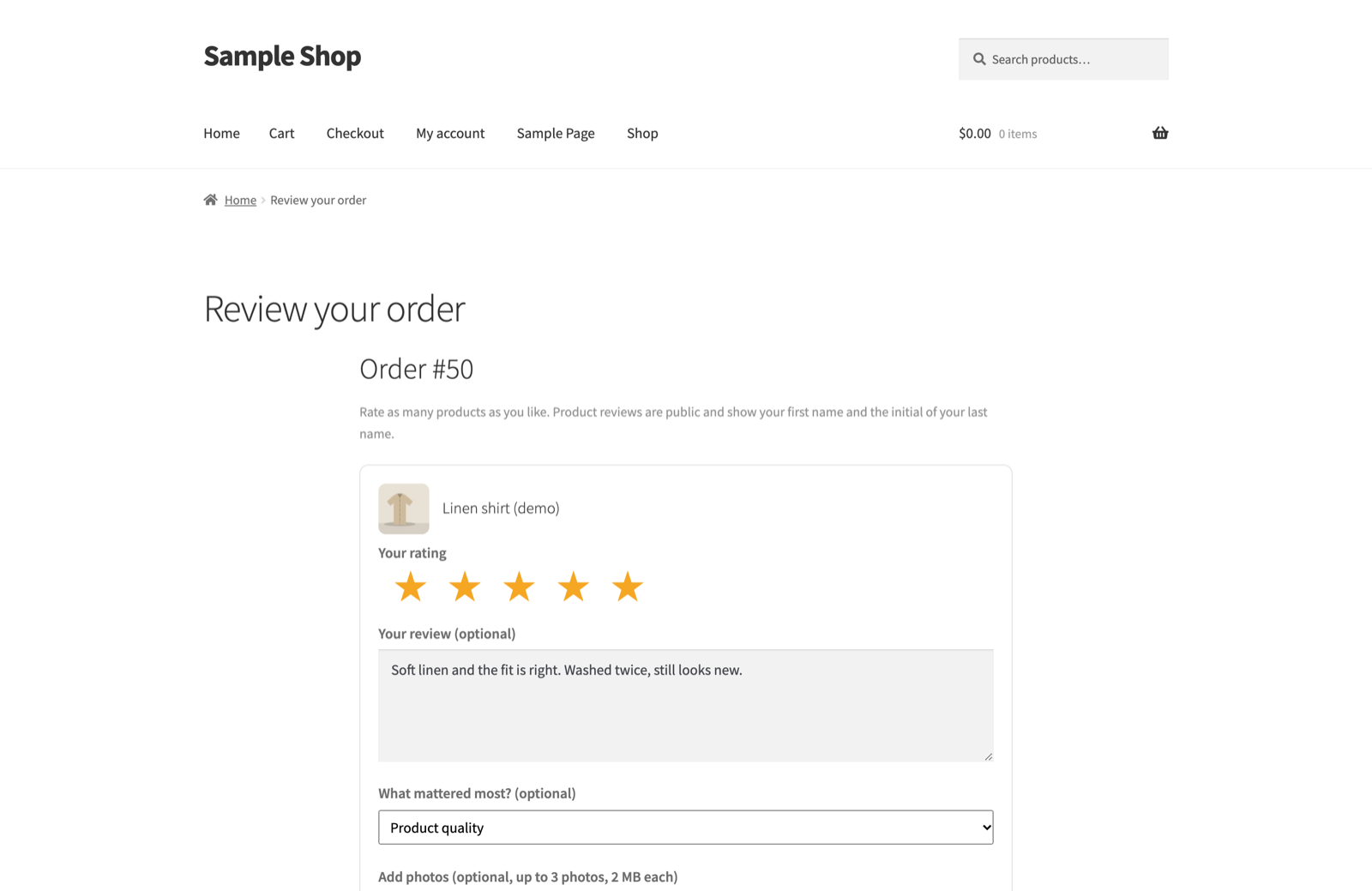
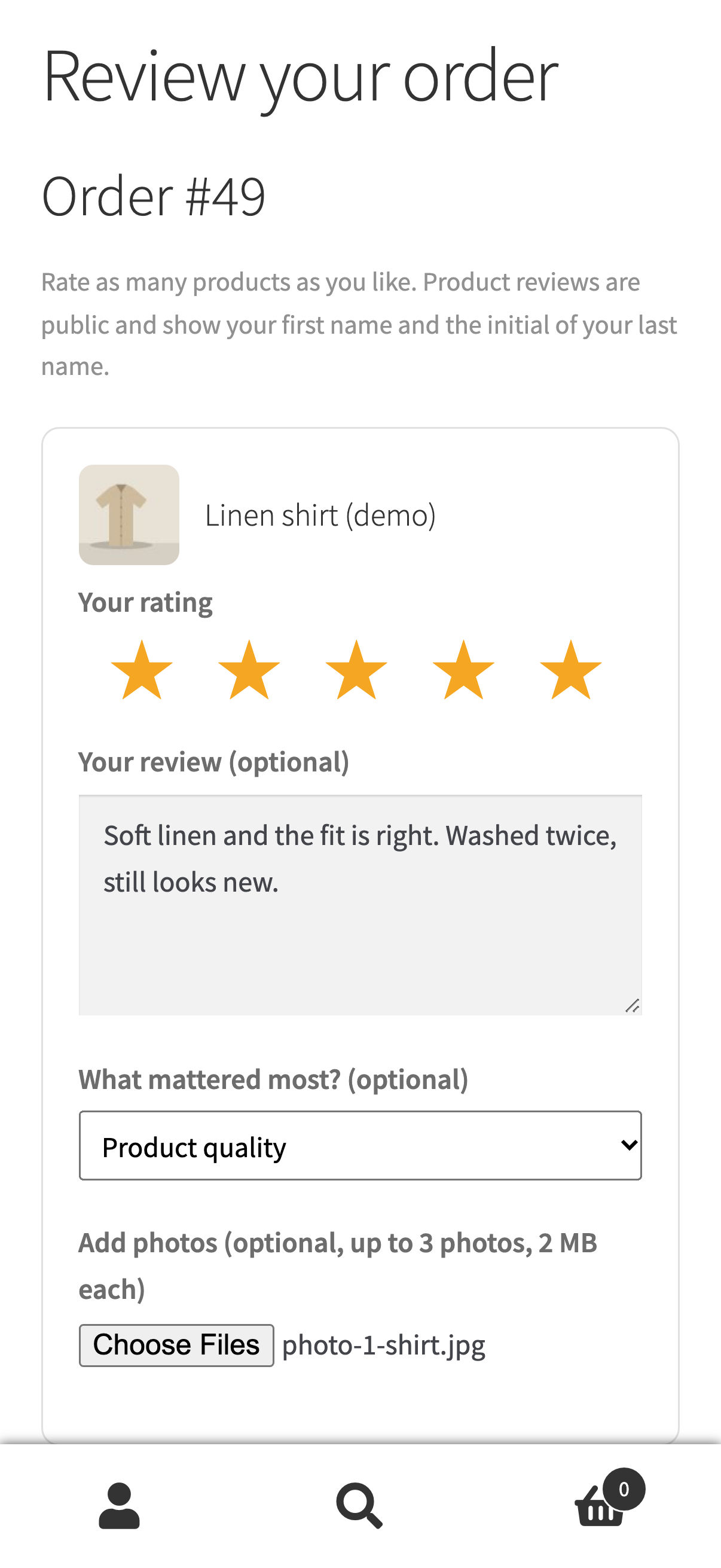
For every reviewable product in the order:
- Your rating: 1 to 5 stars. If the customer came through a star in the e-mail, that rating is already selected for each product and can be changed.
- Your review (optional): up to 5,000 characters.
- What mattered most? (optional): one main reason (the list).
- Add photos (optional): JPG, PNG or WebP, up to the number and size in Settings.
Then, for the whole order:
- How was the order overall? A star rating for delivery, packaging and service. "Only the shop sees this part."
- Anything you want to tell us? (optional) A private comment.
- The shop may show this comment publicly with my first name. Only when ticked can you put the comment on the review wall, and only after you approve it.
Customers may rate only some products. A product without stars is left out; text or photos without stars give an error. At least one product rating or an order rating is needed. The page also has a Stop review requests link.
03What happens on Submit
- Photos are checked and storedEach photo is checked as a real image, re-saved through the WordPress image editor (rotated upright) and added to your Media Library, attached to the product.
- Reviews are createdOne native WooCommerce product review per rated product, marked verified, with the name shown as first name plus last-name initial (for example "Anna K."), or "Verified buyer" if the order has no name.
- Moderation follows WordPressYour Settings → Discussion rules decide whether the review is published right away or held for approval, and the disallowed-keys list can mark it as spam. Moderation e-mails go out as WordPress normally sends them.
- CouponIf the thank-you coupon is on, one coupon is created (Thank-you coupon).
- RecoveryA rating at or below your threshold opens a case (Recovery desk).
- Thank-you pageThe customer sees the thank-you message, the coupon code if any, and your review sites links if you set any.
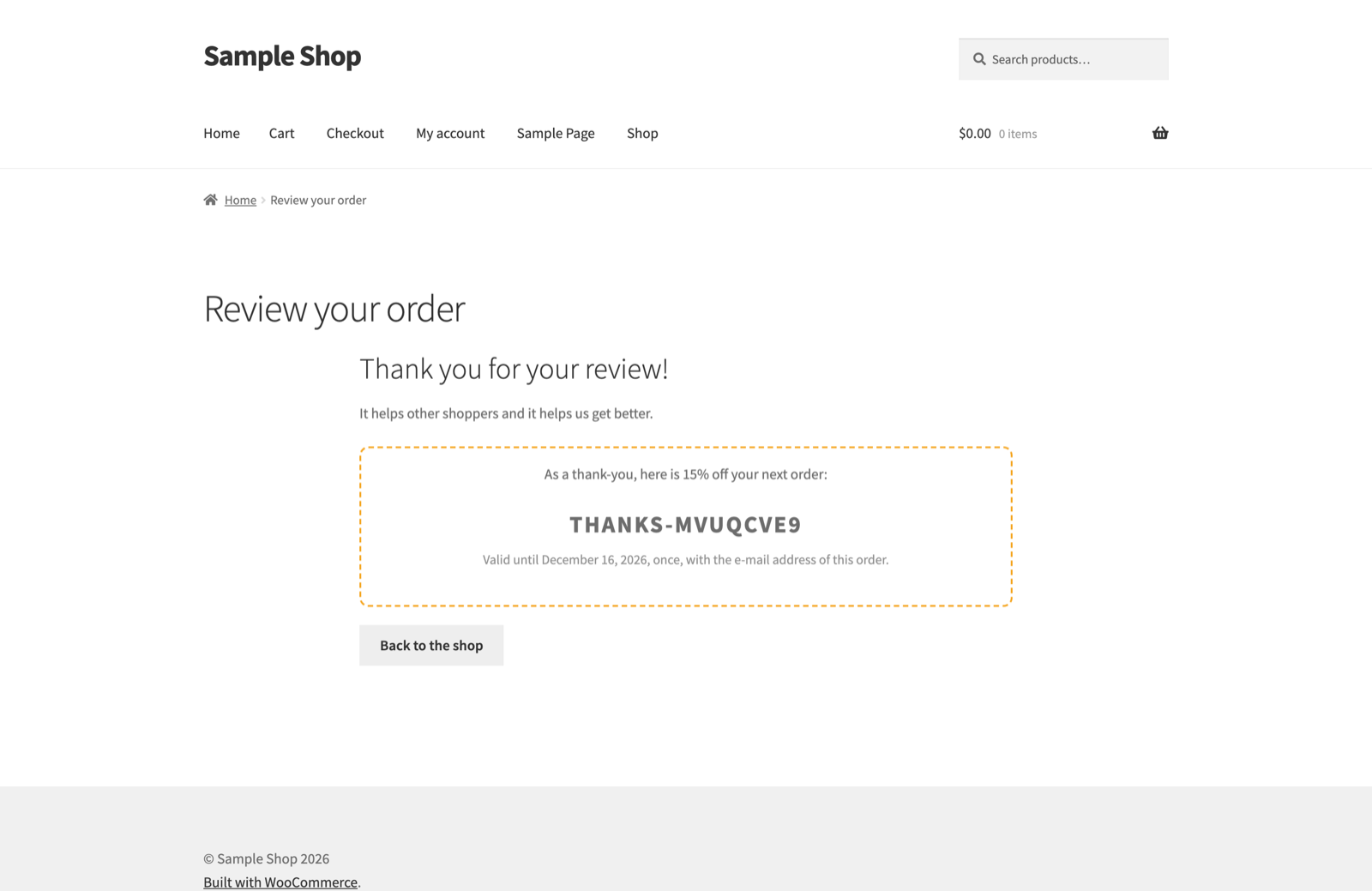
Opening the same link later shows the thank-you page again. A form can be submitted only once.
04Other messages the page shows
| Message | Why |
|---|---|
| This review link has expired | Older than "Review links work for". |
| This order cannot be reviewed | The order was deleted, the request was closed, or no product is reviewable any more. |
| You are unsubscribed | The customer stopped review requests. |
| Please wait a moment | Too many invalid review links were opened from one connection (30 in 10 minutes). See Rate limiting behind a proxy. |
05Caching and privacy of the page
The review page sends no-cache headers, defines DONOTCACHEPAGE (read by most page cache plugins), Referrer-Policy: no-referrer and noindex, nofollow. Some caches still need an exclusion; see Page cache and the review page.
06Styling
The page uses your theme for everything around the form and loads one small stylesheet, assets/css/review.css. All markup sits inside <div class="reviewmend">, so you can adjust it with your own CSS (Appearance → Customize → Additional CSS, or the Site Editor's styles). The form itself has no template override.