
Recovery desk
answer every low rating.
A low rating opens a case so someone on your team answers the customer. The review itself is published as usual; the case is only about the answer.
01When a case opens
A case opens when a rating is at or below Open a case at (2 stars or less by default):
- From a review request: one case per submitted review page if any product rating or the private order rating is low. The case lists every low product rating and the order rating.
- From the product page: a review written directly on a product page after Reviewmend was installed (source "Product page review", no order linked).
Imported reviews and reviews marked as spam never open a case. A new case gets priority High when the lowest rating is 1 star, otherwise Normal, the owner from Settings, and a due date "Answer within" hours from now (48 by default). The owner, or the site admin address when there is no owner, gets the Recovery case opened e-mail with the ratings, texts, reason and an Open the case button.
The Recovery menu item shows a count bubble of open and in-progress cases, like Comments in WordPress.
02The case list
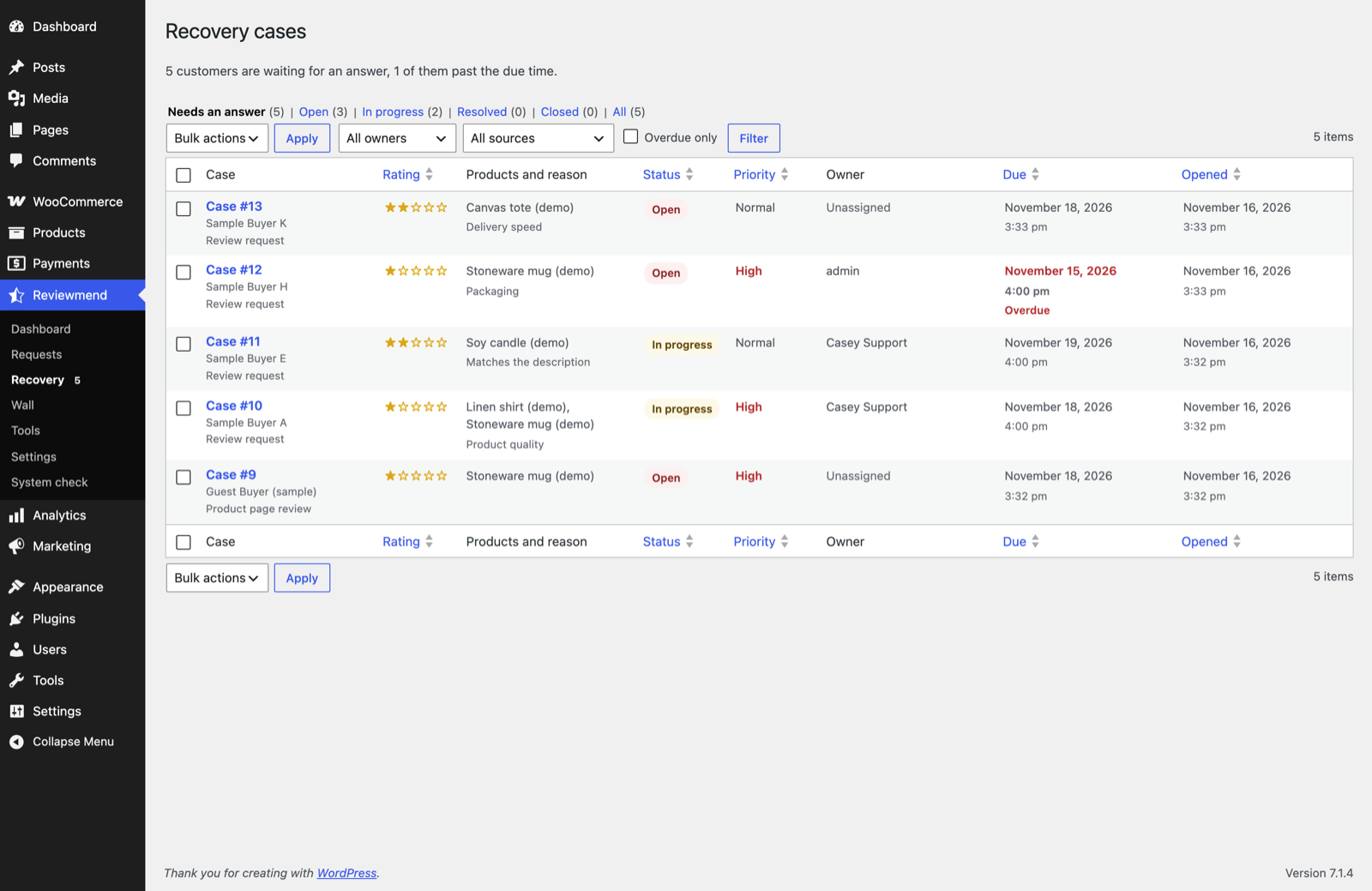
- Status views: Open, In progress, Resolved, Closed, All, each with a count.
- Filters: owner, source (Review request or Product page review), Overdue only.
- Sorting: by opened date, due date, rating, priority or status.
- Bulk action: Close.
03Working on a case
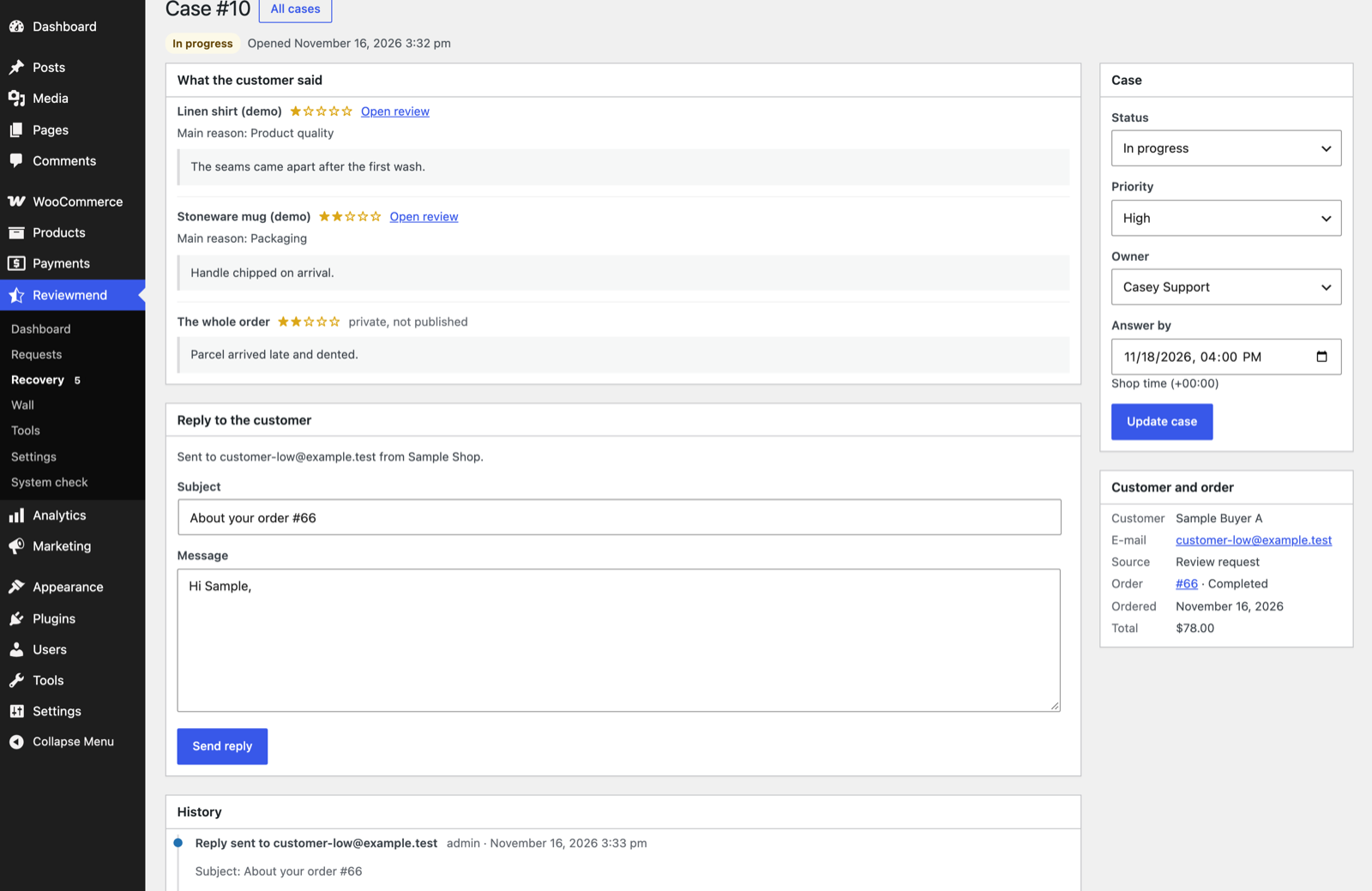
| Box | What you do there |
|---|---|
| What the customer said | Every low product rating with its text, reason, photos and an Open review link, and the whole-order rating and comment marked "private, not published". |
| Reply to the customer | Subject (pre-filled "About your order #…") and message. Send reply e-mails it with the Recovery case reply e-mail from your shop address. An Open case moves to In progress. |
| Case | Status (Open, In progress, Resolved, Closed), priority (Low, Normal, High), owner and Answer by date in shop time. Press Update case. |
| Customer and order | Name, e-mail, source, order link, order date and total. |
| History | Every change, reply and internal note with who and when. Internal note adds a note only your team sees. |
Notes and replies can be up to 5,000 characters. A case counts as overdue when it is Open or In progress and past its due date.
04Who can use the desk
The desk needs the reviewmend_manage_cases capability. Activation gives it to Administrators and Shop managers. To let another role in, add that capability with a role editor plugin. Only users with the capability can be chosen as owners.
05Good practice
- Answer within the due time; the dashboard and the monthly report show open and overdue cases.
- Do not ask the customer to change or remove their review in exchange for a refund or coupon. The case is about fixing the problem.
- You can also reply publicly under the review in Products → Reviews, as with any WooCommerce review.